
Complete Tutorials at LUCKYTOWN PLUS
Why Use LUCKYTOWN PLUS Tutorials?

Your One-Stop Destination for All LUCKY TOWN Tutorials
The LUCKY TOWN PLUS instruction hub brings together every tutorial you need to master your platform experience. From account setup and financial transactions to game access and personalization, each guide provides clear, step-by-step instructions designed for members at all experience levels. Browse the complete list below and click any tutorial to get started with your LUCKY TOWN journey.
Recommend Friends

Share QR Codes and Referral Links to Invite Friends
Learn how to recommend friends to LUCKY TOWN PLUS using QR codes, transfer options, and share links. Step-by-step guide from pressing the LUCKY TOWN PLUS logo to troubleshooting unsuccessful codes. Discover how to save QR codes, share via apps, copy referral links, and generate new codes when needed.
View Recommend Friends GuideReal-Name Verification
Complete KYC for Account Security and Withdrawals
Complete your LUCKY TOWN PLUS real-name verification with our step-by-step guide. Learn how to add a bank account with your real name, fill in your personal details, and submit verification requests. Processing typically takes within 3 working days. Essential for secure withdrawals and account protection.
View Verification GuideBank Transfer Topup
Deposit Funds via Maybank, Public Bank, CIMB or Hong Leong
Complete your LUCKY TOWN PLUS bank transfer topup with our comprehensive nine-step guide. Supported banks include Maybank, Public Bank, CIMB Bank, and Hong Leong Bank. Minimum deposit RM20, maximum RM20,000 per transaction. Finance department processing within 10 minutes after receipt upload.
View Bank Transfer GuideTNG Transfer Topup
Add Funds Using Touch N Go E-Wallet
Add funds to your LUCKY TOWN PLUS account using Touch N Go e-wallet. Step-by-step instructions from accessing the ME menu to receipt upload. Minimum deposit RM20, maximum RM20,000. Processing within 10 minutes with finance department verification. Includes fraud prevention guidance.
View TNG Transfer GuideDuit Now Topup
Fast QR Code Deposits with UPay or Go Pay
Use UPay (RM10 minimum) or Go Pay (RM20 minimum) for fast QR code deposits using Malaysia's National QR standard. Step-by-step guide for both providers with QR code timeout warnings. Processing within 15 minutes with customer service backup if needed.
View DuitNow GuideTNG Scan QR Topup
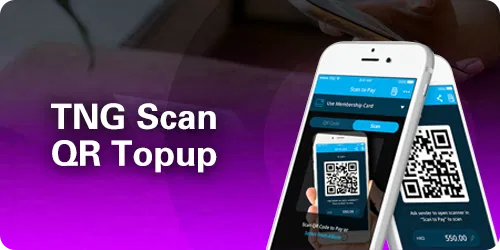
Scan QR Codes with UPay or Direct TNG
Two convenient methods for TNG scan QR topup: UPay with RM10 minimum or direct TNG with RM20 minimum. Complete QR code scanning instructions with timeout warnings, account name verification, and 15-minute processing guarantee.
View TNG Scan QR GuideUSDT Topup
Crypto Deposits via Binance, Huobi, or Other Platforms
Deposit USDT on TRC20 network using Binance, Huobi, or other crypto platforms. Step-by-step guide with QR code scanning and TXID entry. Current conversion rate displayed before confirmation. Finance department processing within 10 minutes.
View USDT Topup GuideAdd Bank Account
Link Your Bank Account for Secure Withdrawals
Link your bank account to LUCKY TOWN PLUS for secure withdrawals. Step-by-step instructions from accessing the ME menu to transaction PIN entry. Select from Affin Bank, Alliance Bank, AmBank, Bank of China, and more. Essential for processing withdrawal requests.
View Add Bank Account GuideHow To Withdraw
Cash Out Your Winnings Securely
Complete seven-step withdrawal guide for LUCKY TOWN PLUS. Minimum withdrawal RM50, maximum RM20,000 per transaction with up to 20 withdrawals daily. Transaction PIN required for security. Fraud prevention policies explained. Processing within 30 minutes.
View Withdrawal GuideUSDT Withdraw
Withdraw Funds in Cryptocurrency
Withdraw USDT on TRC20 network from your LUCKY TOWN PLUS account. Complete guide with wallet address entry, network selection, minimum 150 USDT requirement, 2.00 USDT fee, and manual security review. Processing within 24 hours.
View USDT Withdraw GuideExchange Currency
Convert MYR to THB and THB to MYR Instantly
Learn how to exchange currency between MYR and THB on LUCKY TOWN PLUS. MYR to THB in Malaysia version, THB to MYR in Thai version. Simple three-step process with transparent exchange rates and instant confirmation.
View Exchange Currency GuideChange Password
Update Login Credentials or Recover Forgotten Password
Learn how to change your LUCKY TOWN PLUS password or recover forgotten credentials. Two methods covered: Settings-based change while logged in and OTP recovery via the login page. Includes forgot username recovery and security best practices.
View Change Password GuideForgot Transfer Password
Recover Your 6-Digit Transaction PIN
Recover or change your 6-digit transaction PIN used for withdrawals and financial transactions. Two methods: change via Settings if you know your current PIN, or recover via OTP through the withdrawal page. Essential for fund security.
View Forgot Transfer Password GuideLottery Betting Instructions
Complete Guide to 4D Lottery Betting
Complete guide to 4D lottery betting on LUCKY TOWN PLUS. Learn platform codes (MPTSBKWHE: Magnum, Da Ma Cai, Toto, Singapore, Sabah 88, Sandakan STC, Sarawak Da Wan, Grand Dragon, 9Lotto). Understand purchase forms (Single, Return, Box, i-Box, PH) and bet types (B, S, 4A, 4D SPECIAL). Includes bet cancellation instructions.
View Lottery Betting Guide918KISS Game Description

Download and Access 918KISS on Android
Access 918KISS through LUCKY TOWN PLUS with our complete guide. Android download, installation, and automatic login instructions. Funds auto-transfer to the game when launched. iOS not currently supported.
View 918KISS GuideMEGA888 Game Description

Download and Access MEGA888 on Android
Complete MEGA888 login guide for LUCKY TOWN PLUS. Android download, test account information (`test1`-`test10000`, password `Aa1234`), account copying, and fund transfer instructions. Google Play Protect guidance included. iOS not currently supported.
View MEGA888 GuideChange App Icon

Personalize Your App with Custom Icons
Personalize your LUCKY TOWN PLUS app with different icon designs. Choose from LUCKY TOWN, Luckytown, Instagram, Foodpanda, Monday, Grab, Waze, and Grub themes. Simple six-step instructions from Settings to confirmation. Instant results, unlimited changes.
View Change App Icon GuideWhy the LUCKY TOWN PLUS Instruction Hub Serves You Best
Comprehensive Coverage
From account setup to game access, every LUCKY TOWN PLUS feature has a dedicated tutorial. Seventeen guides cover deposits, withdrawals, account security, game access, personalization, and more.
Step-by-Step Clarity
Each instruction breaks down complex processes into simple, numbered steps. No technical jargon, just clear directions anyone can follow. Screenshot references help you navigate each interface.
People-First Design
All tutorials follow helpful content guidelines. No spam, no deceptive patterns, just genuine assistance for LUCKY TOWN members. Each guide focuses on solving real user needs.
Regular Updates
As LUCKY TOWN PLUS evolves, so do our instructions. Check back for updated tutorials reflecting new features, improved processes, and member feedback.
Mobile-Optimized for Easy Following
Every guide works perfectly on smartphones, so you can follow along while using your device for the actual steps. No need to switch between devices.
Start Exploring LUCKY TOWN PLUS Tutorials Today
The LUCKY TOWN PLUS instruction hub represents the platform's commitment to member success through comprehensive, accessible education. All seventeen tutorials follow a consistent format: clear H2 headers identifying each topic, H3 step headers with descriptive titles, and detailed P paragraphs explaining exactly what to do. Each tutorial includes a CTA button linking to its dedicated page for members who need the full guide.
The hub covers the complete member journey: social features (Recommend Friends), account setup (Real-Name Verification, Add Bank Account), security (Change Password, Forgot Transfer Password), deposits (Bank Transfer, TNG, DuitNow, TNG Scan QR, USDT), withdrawals (How to Withdraw, USDT Withdraw), currency management (Exchange Currency), game access (Lottery Betting, 918KISS, MEGA888), and personalization (Change App Icon). This comprehensive approach means you never need to search elsewhere for LUCKY TOWN PLUS instructions.
Each tutorial is written with people-first principles: clear language, logical progression, and helpful warnings about common pitfalls such as QR code timeouts, network selection for USDT, or incorrect withdrawal addresses. The instruction hub itself is designed for easy navigation, with logical groupings and consistent formatting. Whether you're a new member setting up your account for the first time or an experienced player exploring new features, the instruction hub has you covered. Bookmark this page as your first stop whenever you need help with any LUCKY TOWN PLUS feature.
Browse All Instructions Now